
You can view a history of your online purchases over the last 7 years, and print out receipts or invoices. This feature is restricted to admin users and standard users with billing permissions. Learn more about user permissions.
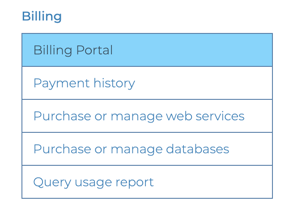
Click on ‘Billing Portal’ in the Billing menu of your account portal [direct link, login required] and scroll down to see a list of all purchases under 'Invoice History'.

To view the invoice and receipt, click a specific purchase.

The link will open in a new tab. Click 'Download invoice' or 'Download receipt' to download as a PDF.

Both the invoice and receipt are automatically generated when a payment is made on the account either manually through our website or automatically by a subscription or auto-recharge. The invoice lists the amount that was due, and the receipt shows that this amount was paid. Any invoices listed in your account portal have already been paid.
Advance invoices
We are not able to issue an invoice separately in advance of an online payment. If you need to be invoiced for offline payment (ACH, wire transfer, check), email sales@maxmind.com for assistance. Invoices issued for offline payment will not be shown on the Billing Portal.
VAT on receipts and invoices
If you need to display a VAT number on your receipts or invoices, you can add your VAT number to your account. To update your VAT information, click on ‘Billing Portal’ under the Billing menu in your account portal [direct link, login required].
Please note that, as MaxMind is a US company, we do not include VAT in our pricing.
Learn more about how MaxMind handles sales tax.